
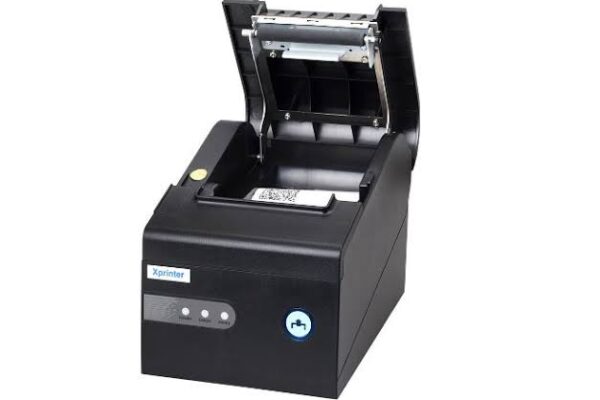
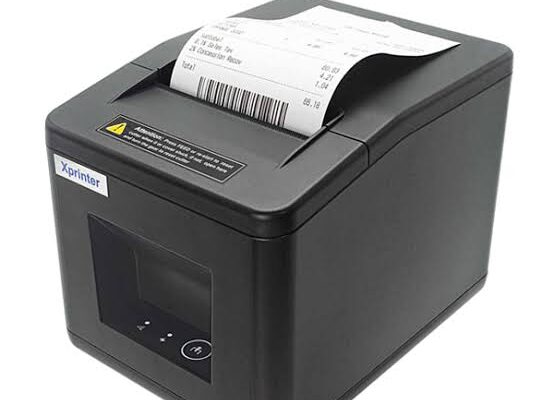




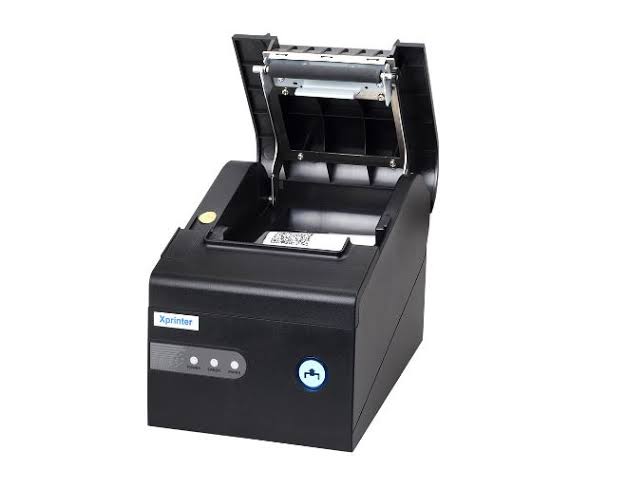
Understanding Paper Compatibility and Printing Quality in Xprinter Receipt Printers
Paper compatibility and printing quality are two important factors that influence the performance of receipt printers. Businesses rely on clear, readable receipts to document transactions, provide customers with purchase details, and support everyday accounting activities. However, even a capable printer may produce poor results when used with unsuitable paper or incorrect printing settings.
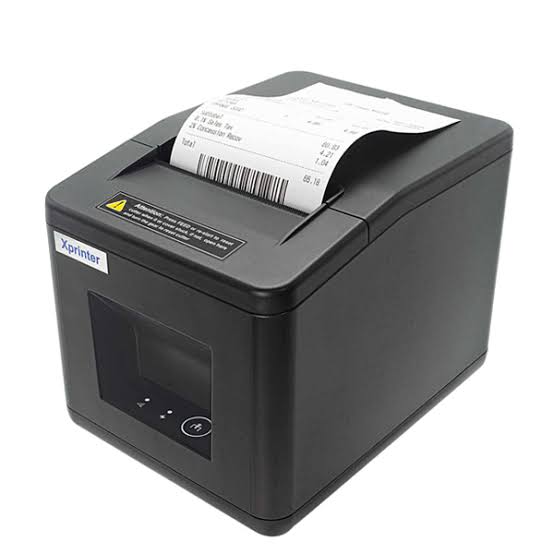
Understanding the relationship between paper specifications, printing technology, and output quality can help businesses maintain consistent results. When evaluating an Xprinter Receipt Printer, users should review the supported paper types, dimensions, and performance specifications of the particular model. Choosing compatible supplies and following proper operating practices can reduce printing problems and support reliable daily use.
Why Paper Compatibility Matters
Receipt printers are designed to work with specific paper types and dimensions. Using paper that does not meet the manufacturer’s requirements can lead to feeding problems, unclear output, excessive paper residue, or other operational issues.
Compatibility is especially important for thermal receipt printers because their printing process depends on heat-sensitive paper. The paper must react appropriately to the printer’s thermal print head to produce visible text and graphics.
Businesses should check the printer’s documentation before purchasing paper rolls. Confirming the recommended specifications helps prevent avoidable problems and ensures that the paper fits properly within the printer.
Understanding Thermal Receipt Paper
Many modern POS receipt printers use direct thermal printing technology. Instead of applying ink or toner, this process uses a heated print head to create images on specially coated paper.
Thermal paper contains a heat-sensitive coating that changes color when exposed to controlled temperatures. The printer activates selected areas of this coating to form letters, numbers, barcodes, and other receipt information.
This technology offers several practical advantages:
- No ink cartridges or ribbons are required.
- Printing can be relatively fast.
- The mechanism can have fewer consumable components.
- Paper replacement is generally straightforward.
- Compact designs are suitable for many checkout environments.
However, thermal paper quality can vary. Businesses should consider the coating quality, paper thickness, surface consistency, and storage requirements when selecting supplies.
Important Paper Specifications to Check
Not all receipt paper rolls are interchangeable. Several specifications determine whether a paper roll is suitable for a particular printer.
Paper Width
Paper width determines how much information can be printed across each receipt line. Common thermal receipt widths include 58 mm and 80 mm, although the supported size depends on the printer model.
A narrow format may be suitable for small retail counters or compact POS systems. Wider paper can accommodate longer descriptions, additional transaction information, and more spacious layouts.
Businesses should verify the printer’s supported width rather than choosing a roll based only on availability or price.
Roll Diameter
Roll diameter affects how much paper can fit inside the printer compartment. A roll that is too large may not fit correctly, while an unsuitable roll can interfere with the paper-loading mechanism.
The maximum supported diameter should be checked in the product specifications. This is particularly important for businesses that print many receipts and want to reduce the frequency of paper replacement.
Paper Thickness
Thermal paper thickness can influence how smoothly a roll moves through the printer. Paper that is too thick or too thin may not feed as expected, depending on the equipment’s design.
Businesses should follow the manufacturer’s recommended paper thickness range. Consistent paper specifications can also help reduce variations in feeding and printing performance.
Paper Core Size
The paper roll’s core is the central tube around which the paper is wound. Some printers require particular core dimensions to ensure that rolls fit and rotate properly.
Although the core may seem like a minor detail, an unsuitable size can affect paper installation and feeding. Checking the complete roll specifications helps ensure compatibility.
Factors That Influence Printing Quality
Clear receipt output depends on more than the quality of the paper. Printer settings, print-head condition, environmental conditions, and software configuration can also affect the final result.
Print Head Condition
The thermal print head is responsible for applying heat to the paper. Dust, residue, or accumulated debris can interfere with heat transfer and cause faded sections, missing lines, or uneven text.
Regular cleaning according to the manufacturer’s instructions helps maintain consistent output. Employees should use appropriate cleaning materials and avoid touching or scratching the sensitive print-head surface.
Printing Resolution
Resolution determines how finely the printer can reproduce text, symbols, and graphics. Higher resolution can improve the appearance of small characters and detailed elements, although the actual result also depends on the paper and print settings.
Businesses that print barcodes, logos, or dense transaction information should review the resolution supported by their selected model. Testing sample receipts can help confirm whether the output meets their requirements.
Printing Speed and Heat Settings
Printing speed and heat settings can influence the appearance of thermal output. Depending on the printer and paper combination, unsuitable settings may result in text that appears too light or inconsistent.
Businesses should use recommended settings and adjust them only when necessary. Excessive heat should not be used as a substitute for poor-quality paper because it may contribute to unnecessary wear on the print head.
Software and Driver Configuration
POS software and printer drivers determine how transaction information is formatted and sent to the device. Incorrect paper-width settings, print density configurations, or character encoding can affect receipt appearance.
If printed receipts contain cut-off text, misaligned content, or unusual characters, businesses should review the software configuration and driver settings before assuming that the paper or printer is defective.
How to Choose Suitable Paper for an Xprinter Receipt Printer
Selecting the right paper starts with identifying the exact printer model and reviewing its technical documentation. Different models may support different paper widths, roll diameters, and thickness ranges.
Businesses can follow these practical steps:
- Identify the printer model: Locate the model number and consult its product specifications.
- Confirm paper width: Select a roll that matches the supported dimensions.
- Check maximum roll diameter: Make sure the roll fits within the paper compartment.
- Review paper thickness: Follow the manufacturer’s recommended range.
- Choose consistent paper quality: Look for smooth, evenly coated thermal paper.
- Test sample rolls: Print receipts to evaluate clarity, feeding, and overall performance.
- Store supplies correctly: Keep unused rolls away from excessive heat, moisture, and direct sunlight.
These checks are useful for both small businesses and organizations that purchase receipt paper in bulk.
Common Paper-Related Printing Problems
Paper compatibility problems can produce several noticeable symptoms. Understanding their possible causes helps employees identify appropriate solutions.
Faded or Light Printing
Faded output may result from low-quality thermal paper, incorrect print-density settings, or a dirty print head. Businesses should check the paper specifications, clean the print head according to instructions, and review the printer configuration.
Paper Jams and Feeding Problems
Paper jams may occur when rolls are incorrectly installed, damaged, or incompatible with the printer. Dust and paper fragments can also interfere with the paper path.
Employees should remove the paper carefully, inspect the compartment, and reinstall a correctly sized roll. Forceful pulling should be avoided because it may damage internal components.
Uneven or Missing Text
Uneven printing can indicate contamination on the print head, inconsistent paper coating, or a hardware issue. Testing another compatible paper roll can help determine whether the problem is related to the paper supply.
If the issue continues after basic cleaning and configuration checks, technical inspection may be necessary.
Smudged or Discolored Receipts
Thermal receipts can become discolored when exposed to excessive heat, friction, or unsuitable storage conditions. Businesses should store printed records in a cool, dry location and follow appropriate document-retention practices.
Best Practices for Maintaining Receipt Quality
Maintaining consistent printing quality requires attention to both the printer and its consumables. A simple maintenance routine can help businesses reduce unnecessary interruptions.
Recommended practices include:
- Purchase paper that matches the printer’s specifications.
- Keep thermal paper in its original packaging until needed.
- Store paper away from direct sunlight and heat sources.
- Clean the print head and paper path regularly.
- Install rolls in the correct direction.
- Check paper guides and covers for proper positioning.
- Review print-density settings when output changes.
- Keep spare compatible paper rolls available.
Businesses with multiple checkout stations may also benefit from standardizing their paper supplies. Using consistent specifications can simplify purchasing, inventory management, and troubleshooting.
Paper Compatibility and Long-Term Business Costs
Paper selection can affect operating expenses as well as print quality. Low-cost paper may appear economical initially, but inconsistent coating or unsuitable dimensions can contribute to waste and printing problems.
On the other hand, selecting compatible paper with consistent quality can help reduce misprints, paper jams, and unnecessary maintenance. Businesses should compare the total cost of paper supplies with their performance rather than considering purchase price alone.
Thermal receipts also have different storage characteristics from conventional ink-based documents. Organizations that need to retain transaction records for extended periods should follow applicable accounting requirements and consider digital recordkeeping or suitable archival methods.
Conclusion
Paper compatibility and printing quality are closely connected in receipt printing operations. Paper width, roll diameter, thickness, core size, and coating quality all influence whether a roll works properly with a particular printer. Print-head condition, software configuration, and environmental factors also affect the clarity and consistency of receipts.
Businesses using an Xprinter receipt printer should consult the specifications of their exact model before purchasing thermal paper. By choosing compatible supplies, maintaining the print head, configuring suitable settings, and storing paper correctly, organizations can support reliable printing and produce clear transaction records for everyday operations.


 is assembled by joining separate metallic sections to create a single working component. This approach can support custom configurations, large dimensions, and integrated features that would otherwise require extensive machining. Its success depends on suitable joint design, compatible materials, controlled welding, dimensional correction, and inspection appropriate to the application. ## When a Welded Design Makes Sense Welded construction is worth considering when a shaft has a complex profile or includes a large flange, hub, sleeve, or other attached section. It may allow different stock sizes to be combined, reducing the need to remove large amounts of material from a single billet. It can also be useful when a component must be manufactured in sections because of transport, handling, or equipment limitations. In repair work, a qualified procedure may permit replacement of a damaged section, although the feasibility depends on the original material and service conditions. The decision should be based on engineering and lifecycle cost. Welding is not automatically cheaper or stronger than machining a one-piece shaft. ## Joint Location and Load Paths The joint must transfer the forces that act through the shaft. These may include torsion, bending, axial force, and cyclic loading. The weld configuration and size should be designed for the expected load combination. Joint location deserves particular attention. Placing a weld near a keyway, bearing shoulder, or region of high bending stress may combine several stress concentrations. Where possible, the joint should be positioned in a region with more favorable loading and enough space for inspection and finishing. A smooth external profile is also important. Abrupt changes in diameter or weld reinforcement can interfere with bearing fits and create local stress concentrations. ## Material Compatibility and Welding Procedure The parent materials must be suitable for joining by the selected process. Their chemistry, thickness, hardenability, and heat-treatment condition influence weldability. Filler material should be selected to provide appropriate mechanical and corrosion properties. Depending on the steel grade and section thickness, preheating or controlled cooling may be required. Some applications may also require post-weld heat treatment to manage residual stress or achieve specified properties. The process should be documented in a qualified welding procedure. Heat input must be controlled. Excessive heat can increase distortion and alter the material's microstructure, while insufficient heat or poor technique can produce incomplete fusion or other defects. ## Alignment and Distortion Management A shaft must remain sufficiently straight and concentric for its bearings and connected components to operate correctly. Welding causes localized heating and cooling, which can pull sections out of alignment. Fixtures and a planned welding sequence help control movement. The completed component may need straightening, stress relief, or machining. These operations should be specified in advance so that the design includes enough material and suitable reference surfaces for final correction. ## Machining and Surface Finishing After welding, turning can establish the final diameter and profile. Grinding may be needed for bearing journals or precision interfaces. Keyways, threads, splines, and holes may be machined at the appropriate stage. The manufacturing plan should identify which features are finished before welding and which are completed afterward. Machining critical surfaces too early may allow subsequent distortion to make them unusable. Conversely, some features may be difficult to access once the assembly is complete. ## Inspection and Quality Assurance Visual inspection is useful for identifying surface irregularities, but internal weld quality may require additional examination. Depending on the application, magnetic particle, penetrant, ultrasonic, or radiographic testing may be specified. Dimensional inspection should verify straightness, runout, concentricity, overall length, and critical interface locations. Material traceability, weld procedure records, and operator qualifications may be required for demanding applications. ## Where Specialized Welded Shafts Are Used Custom welded shafts may be found in industrial rollers, large drive assemblies, material-handling equipment, processing machinery, and specialized production systems. Their use is appropriate only when the design and quality plan address the consequences of joint failure. ## Conclusion Welded shaft construction gives manufacturers flexibility when a one-piece component is difficult or uneconomical to produce. Dependable results require careful load-path design, compatible materials, qualified welding procedures, distortion control, post-weld machining, and suitable inspection. When these elements are planned together, welded construction can support specialized mechanical applications without compromising the required level of reliability.](https://webtoonxyz.co.uk/wp-content/uploads/2026/11/pump-shaft-article-1.jpg)