
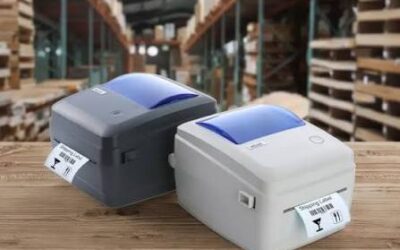



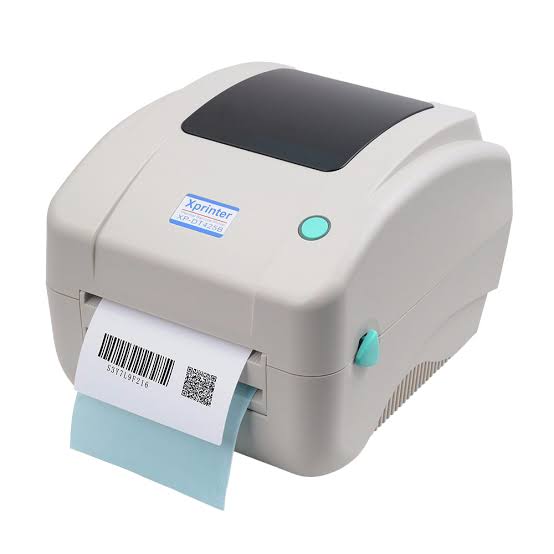
Tips for Selecting the Best Xprinter Thermal Printer for Your POS System
A reliable point-of-sale (POS) system depends on several components working together efficiently, and the receipt printer is one of the most important. It provides customers with transaction records while helping businesses maintain organized sales operations. Choosing the right thermal printer can improve checkout speed, reduce maintenance requirements, and support smoother daily workflows.
When comparing printing solutions, businesses should consider factors such as print speed, connectivity, paper compatibility, durability, and software integration. Selecting an Xprinter Thermal Printer that matches the requirements of a particular POS environment can help create a dependable checkout setup and support consistent transaction processing.
Understand Your POS System Requirements
Before choosing a thermal printer, evaluate how your POS system operates. A small retail store may only need a basic receipt printer, while a busy supermarket or restaurant may require faster printing and more advanced connectivity.
Consider the following questions:
- How many receipts does your business print each day?
- How many checkout counters need printing equipment?
- Does your POS system use a computer, tablet, or dedicated terminal?
- Do you need to print receipts, order tickets, or both?
- Will the printer operate continuously during long business hours?
Understanding these requirements helps narrow down suitable models and prevents spending money on features that your business may not need.
Choose the Right Printing Technology
Thermal printing is widely used in POS environments because it produces text and graphics without traditional ink cartridges or toner. Direct thermal printers use heat-sensitive paper to create printed content, making them convenient for everyday receipt printing.
For most standard POS applications, direct thermal technology offers several advantages:
- Lower consumable requirements: No ink or toner cartridges are needed.
- Fast output: Receipts can be produced quickly during customer transactions.
- Simple maintenance: Fewer consumable components make routine upkeep easier.
- Compact design: Many thermal printers fit comfortably beside checkout terminals.
However, businesses should remember that direct thermal receipts can fade over time, particularly when exposed to heat, sunlight, or friction. For long-term document storage, alternative printing methods or digital receipt records may be more appropriate.
Evaluate Print Speed and Resolution
Print speed directly affects checkout efficiency, especially in businesses that experience high customer traffic. A printer with a suitable output speed can help reduce waiting times and prevent queues from building up during busy periods.
Print resolution is another important consideration. It determines how clearly text, logos, barcodes, and QR codes appear on receipts. Businesses that print simple transaction details may not need exceptionally high resolution, but those using detailed graphics or scannable codes should pay closer attention to print quality.
When comparing specifications, look for a balance between speed and clarity rather than focusing on one measurement alone.
Check Connectivity and Compatibility
A thermal printer must communicate reliably with the POS equipment and software used by the business. Different models may offer USB, Ethernet, serial, Bluetooth, or Wi-Fi connectivity, depending on their design and intended applications.
The most suitable connection depends on the checkout environment:
- USB: A straightforward option for printers connected directly to a computer or POS terminal.
- Ethernet: Useful for network-based installations and shared printing environments.
- Bluetooth: Convenient for compatible mobile POS devices and wireless setups.
- Wi-Fi: Can support flexible printer placement where wireless network printing is required.
- Serial: May be suitable for certain legacy POS systems and specialized equipment.
Before purchasing, confirm that the printer’s connection type is supported by your hardware and operating system. Also check whether the necessary drivers, software development kits, and POS application integrations are available.
Consider Paper Width and Receipt Design
Receipt paper size affects both the appearance of printed documents and the amount of information that can fit on each receipt. Common thermal receipt widths include 58 mm and 80 mm, although the appropriate size depends on the printer model and business requirements.
A narrower format may be sufficient for small shops, kiosks, and simple transaction records. Wider paper can provide more space for item descriptions, business details, promotional messages, and QR codes.
Before selecting a printer, check:
- Supported paper width and roll dimensions
- Maximum roll diameter
- Paper loading method
- Paper availability in your region
- Compatibility with your existing receipt layout
Choosing the correct paper format helps avoid unnecessary adjustments to the POS software and receipt design.
Look for Useful Operational Features
Additional features can make a thermal printer easier to use and maintain. Although not every business needs advanced functionality, certain features can improve everyday convenience.
Important options to evaluate include:
Automatic paper cutting: An auto-cutter separates receipts after printing and can be particularly useful at busy checkout counters.
Paper-out detection: This feature alerts staff when the paper roll needs replacement, helping prevent interruptions.
Easy paper loading: A simple loading mechanism reduces the time required to replace paper rolls.
Status indicators: LED indicators or audible alerts can help employees identify printer conditions and errors.
Compact construction: A space-saving design is useful for checkout counters with limited room.
Businesses should compare these features against their actual operating needs and select a model that offers practical value.
Assess Durability and Daily Workload
A printer used occasionally in a small store has different requirements from one operating throughout the day in a supermarket, restaurant, or warehouse. The expected workload should therefore influence the purchasing decision.
Review the manufacturer’s specifications for print mechanism life, cutter life, operating conditions, and recommended duty cycle where available. These details can help determine whether a particular model is suitable for the intended environment.
It is also worth considering the physical placement of the printer. Equipment installed near food preparation areas, dusty environments, or crowded counters may require additional attention to cleaning and protection.
Compare Dimensions and Installation Requirements
The printer should fit comfortably into the available workspace without interfering with other POS equipment. Measure the intended installation area before making a purchase, including the space needed to open the printer cover and replace paper rolls.
For mobile or temporary checkout arrangements, portability and wireless connectivity may be more important. Fixed checkout counters, on the other hand, may benefit from a compact desktop model with a stable wired connection.
Also consider cable routing, power supply requirements, mounting options, and access to the paper compartment. These practical details can make installation easier and reduce workplace clutter.
Review Maintenance and Technical Support
Even dependable thermal printers require basic maintenance. Regular cleaning helps remove paper dust and residue that may affect print quality or cause operational problems.
Before choosing a model, investigate the availability of replacement components, compatible paper rolls, drivers, manuals, and technical assistance. A printer that is easy to maintain can reduce downtime and make long-term ownership more manageable.
Useful maintenance practices include:
- Cleaning the printhead according to the manufacturer’s instructions.
- Removing paper dust from the internal compartment.
- Using compatible thermal paper.
- Checking cables and connections periodically.
- Keeping printer drivers and compatible software updated.
Access to clear troubleshooting guidance is especially important for businesses that rely on continuous checkout operations.
Calculate the Total Cost of Ownership
The purchase price is only one part of the overall cost of a POS printer. Businesses should also consider paper consumption, replacement parts, maintenance, installation, and potential downtime.
A lower-priced model may appear attractive initially, but it may not provide the features or durability needed for a demanding environment. Similarly, an advanced printer may represent unnecessary expenditure if the business only prints a small number of basic receipts.
Compare the total expected operating costs over the printer’s useful life. This approach provides a more realistic basis for evaluating value and helps businesses avoid decisions based solely on the initial price.
Test the Printer Before Making a Final Decision
Whenever possible, request a sample unit or demonstration before purchasing printers in bulk. Testing helps confirm that the equipment works with the existing POS system and performs reliably under realistic operating conditions.
During evaluation, check:
- Whether the printer connects successfully to the POS terminal
- How quickly it produces standard receipts
- Whether barcodes and text print clearly
- How easily employees can replace paper rolls
- Whether the cutter and other functions operate correctly
- Whether the printer remains stable during repeated transactions
A practical test can reveal compatibility or usability issues that may not be obvious from a product specification sheet.
Conclusion
Selecting the best thermal printer for a POS system requires more than comparing prices or choosing the fastest available model. Businesses should evaluate compatibility, printing performance, connectivity, paper requirements, durability, maintenance, and overall operating costs.
By matching these factors to the demands of the checkout environment, retailers and service providers can choose equipment that supports efficient transactions and dependable daily operations. Careful research and practical testing also help ensure that the selected printer remains suitable as business requirements develop.